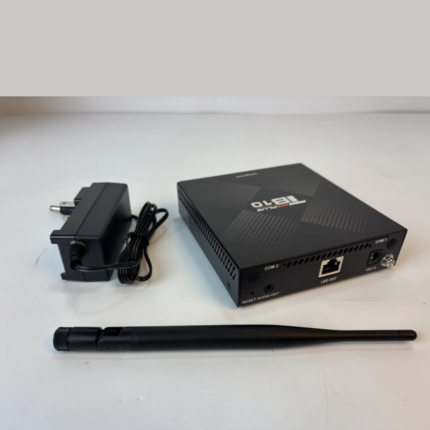
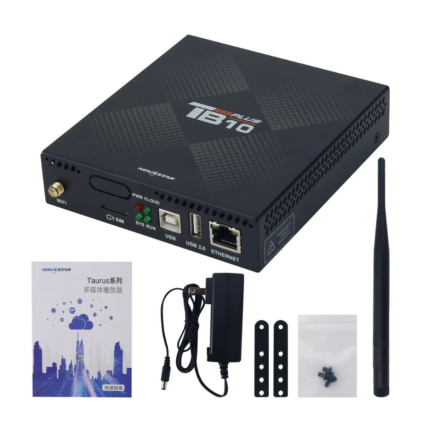
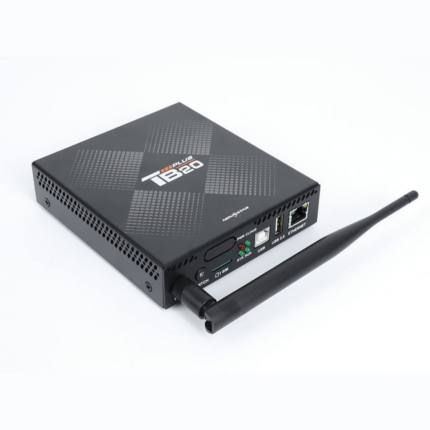
TB50 Novastar Controller
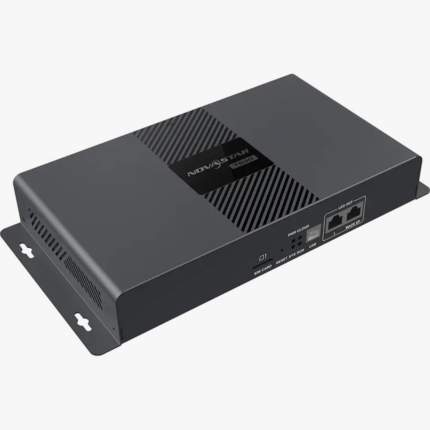
The NovaStar TB50 is a new-generation multimedia player engineered specifically for driving full-color LED displays. It integrates high-performance playback mechanics with comprehensive screen-sending capabilities, letting users update content and manage screen behavior locally via laptop, mobile, or tablet. When combined with NovaStar’s cloud publishing and monitoring platforms, the TB50 allows for total remote management of displays from any internet-connected device worldwide.
The TB50 features native support for dual operational modes (Synchronous and Asynchronous playback) and multi-screen synchronous tracking. It is optimized for commercial LED deployments and smart city projects, including fixed displays, digital signage, lamp-post setups, chain store advertising, and smart retail shelving.
Technical Specifications & Features
Core Performance & Capacity
-
Pixel Loading Capacity: Safely manages up to 1,300,000 total pixels. Its maximum layout dimension stretches up to 4096 pixels wide and up to 4096 pixels high.
-
Custom Resolutions: Supports non-standard custom resolutions in both asynchronous and synchronous configurations, provided the custom pixel clock remains below 153 MHz.
-
Processing Architecture: Outfitted with a quad-core ARM A55 processor running at 1.8 GHz with dedicated hardware execution for 4K video streams.
-
Memory & Storage: Features 1 GB of onboard operational RAM and 32 GB of secure internal solid-state storage.
-
Concurrent Streaming Bounds: Smoothly decodes simultaneously up to 1x 4K stream, 2x 1080p streams, 5x 720p streams, 6x 480p streams, or 6x 360p video files.
Note: Media files natively rendered between 2K and 4K resolution zones are dynamically translated into standard 4K output profiles during active playback.
Video Input / Output & Scaling
-
Synchronous Live Input: Includes 1x HDMI 1.3 video input connector to accept live external feeds. The maximum supported input capability peaks at $1920\times1200$ @ 60Hz. Interlaced input feeds are strictly unsupported.
-
Loop-Through Output: Includes 1x HDMI 1.3 video output connector managing a maximum layout resolution of $1920\times1200$ @ 60Hz with full support for hardware loop configuration. Interlaced signals are unsupported for output.
-
Automatic Screen Scaling: In synchronous mode, full-screen hardware auto-scaling is available to fit the video source directly to the pixel configuration of your screen. Full scaling functionality requires an input width and height between 512 and 2048 pixels, up to a ceiling resolution of $1920\times1080$. The media can only be scaled down, it cannot scale up.
Hardware Interfaces & Expansion Ports
-
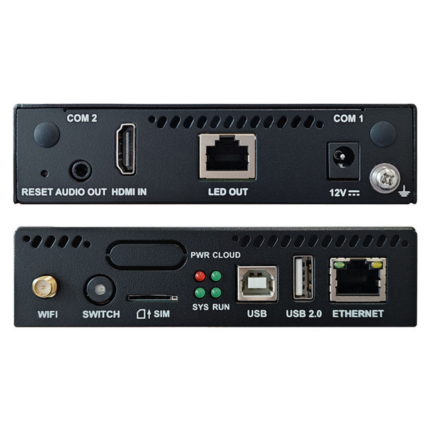
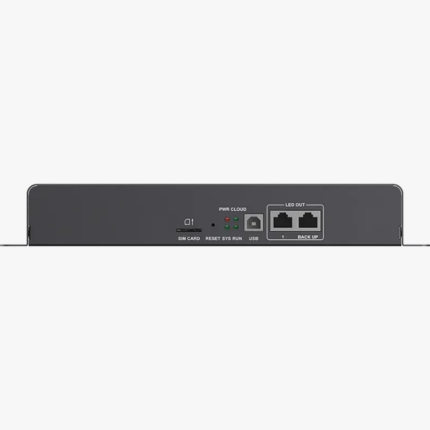
Screen Output Connections: 2x Gigabit Ethernet ports. By default, both output ports are configured as primary links, but they can easily be partitioned into a single primary and single backup loop redundancy structure.
-
Audio Interfacing: 1x 3.5mm stereo line-out audio port mapped to a locked internal hardware sample rate of 48 kHz. It supports standard three-pole audio jacks.
-
Control Port Infrastructure: Features 1x Gigabit Ethernet port for hardwiring to a network switch or LAN , 1x USB Type-B port for link-ups to a local configuration machine , and 1x USB 3.0 Type-A port for external storage expansion, local content presentation, and firmware flashes.
-
Environment Sensor Links: Provides 2x standalone sensor ports for direct connection to environmental elements such as automated ambient light/brightness or temperature/humidity tracking modules.
-
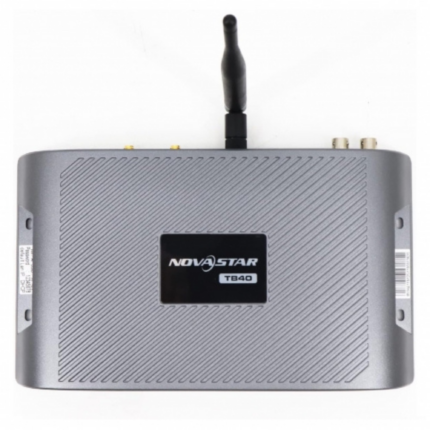
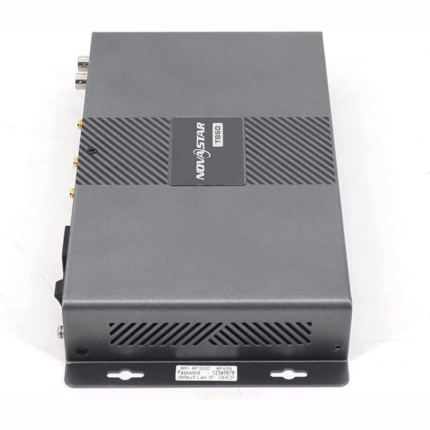
Antenna Terminals: Physical expansion links for a 2.4 GHz Wi-Fi antenna , an optional COM 2 GPS tracking antenna , and an optional COM 1 cellular antenna.
Network, Sync & Operations
-
Simultaneous Wireless Roles: Wi-Fi Access Point (AP) mode and Wi-Fi Station (Sta) mode can be toggled on simultaneously. This lets operators hook the player up to an office Wi-Fi network while still hosting a local wireless hotspot for local smart terminal manipulation.
-
Network Redundancy Failover: Automatically switches internet links depending on active stability using the prioritized layout hierarchy: Wired Network > Wi-Fi Network > 4G Cellular. (Note: The 4G module is not pre-installed and must be acquired separately).
-
Multi-Screen Playback Sync: Supports frame-accurate multi-screen display synchronization leveraging Network Time Protocol (NTP), GPS time tracking (with a cellular module), or dedicated RF radio components. Enforcing active frame synchronization cuts the player’s baseline video decoding capabilities exactly in half.
Data Reference Tables
Diagnostic LED Indicators
| Indicator Name | LED Color | Status State | Operational Condition Description |
| PWR | Red | Staying on |
The internal power supply is working normally. |
| SYS | Green | Flashing (every 2s) |
The base Android operating system is running and fully functional. |
| Green | Staying on/off |
The internal operating system is experiencing an error or failure. |
|
| CLOUD | Green | Off |
The unit detects no active local network or internet connection. |
| Green | Staying on |
The internet connection is established and fully accessible. |
|
| Green | Flashing (every 2s) |
Authenticated and successfully linked to the VNNOX cloud system. |
|
| Green | Flashing (every 1s) |
The player is actively performing an operating system upgrade. |
|
| Green | Flashing (every 0.5s) |
The device is copying an upgrade package or files from an external USB drive. |
|
| RUN | Green | Flashing (every 4s) |
The internal FPGA is active but cannot detect an input video source. |
| Green | Flashing (every 0.5s) |
The FPGA is active and processing video data normally. |
|
| Green | Staying on/off |
FPGA program loading or hardware initialization is abnormal. |
Local USB Flash Drive Constraints
| Parameter Metric | Certified Specification Limits |
| Supported Drive File Systems |
FAT32, NTFS |
| Supported Capacity Range |
2 GB minimum up to 128 GB maximum |
| Single File Size Bounds |
Must be strictly greater than 0 KB and less than 4 GB |
Media Asset Decoding Standards
| Media Category | Codec / Standard Type | Resolution Boundaries | Format / Extensions | Remarks & Limitations |
| Image | JPEG (JFIF format 1.02) | $64\times64$ to $4096\times2304$ px | .jpg, .jpeg |
Interlaced scanning files only; supports SRGB and Adobe RGB. |
| BMP | $64\times64$ to $4096\times2304$ px | .bmp |
N/A. |
|
| GIF | $64\times64$ to $1920\times1088$ px | .gif |
Frame rates: 1–30fps at 720p; 1–10fps at 1088p max. |
|
| PNG | $64\times64$ to $4096\times2304$ px | .png |
N/A. |
|
| WEBP | $64\times64$ to $4096\times2304$ px | .webp |
N/A. |
|
| Video | H.264 | $64\times64$ to $4096\times2304$ px | .mp4, .avi, .mkv, .mov |
Max 30 fps @ 80 Mbps. |
| H.265 / HEVC | $64\times64$ to $4096\times2304$ px | .mp4, .mkv, .mov |
Max 60 fps @ 100 Mbps. |
|
| MPEG4 | $64\times64$ to $1920\times1088$ px | .mp4, .avi, .mkv, .mov |
Max 30 fps @ 38.4 Mbps. |
|
| VP8 | $64\times64$ to $1920\times1088$ px | .mkv, .webm |
Max 30 fps @ 38.4 Mbps. |
|
| VP9 | $64\times64$ to $4096\times2304$ px | .mkv, .webm |
Max 60 fps @ 80 Mbps. |
Physical, Environmental & Electrical Parameters
-
Chassis Outer Dimensions: $274.3\text{ mm} \times 139.0\text{ mm} \times 40.0\text{ mm}$ (Manufacturing Tolerance: $\pm0.3\text{ mm}$).
-
Chassis Weights: Net weight of 1234.0 g; Gross total packaged weight of 1653.6 g.
-
Electrical Power Inputs: AC 100V to 240V~, 50/60Hz, 0.6A.
-
System Power Drawer: Maximum power draw of 18 W, with a recommended target power supply rating of 25 W.
-
Ingress Protection Level: Rated at IP20. Enclosure must remain strictly insulated from moisture; do not wash or wet.
-
Temperature Limits: * Operating Environment: $-20^\circ\text{C}$ to $+60^\circ\text{C}$.
-
Storage Environment: $-40^\circ\text{C}$ to $+80^\circ\text{C}$.
-
-
Humidity Limits: 0% to 80% RH, non-condensing (Applies identically to active operating and inactive storage states).
-
Integrated Software Base: Android 11 OS kernel running integrated terminal software paired with specialized internal FPGA logic layers.